Create a calendar invite
Use Calendar to schedule meetings and add a Meet room link that guests can join from the event.
Open Calendar
From the portal, click Calendar in the top navigation.
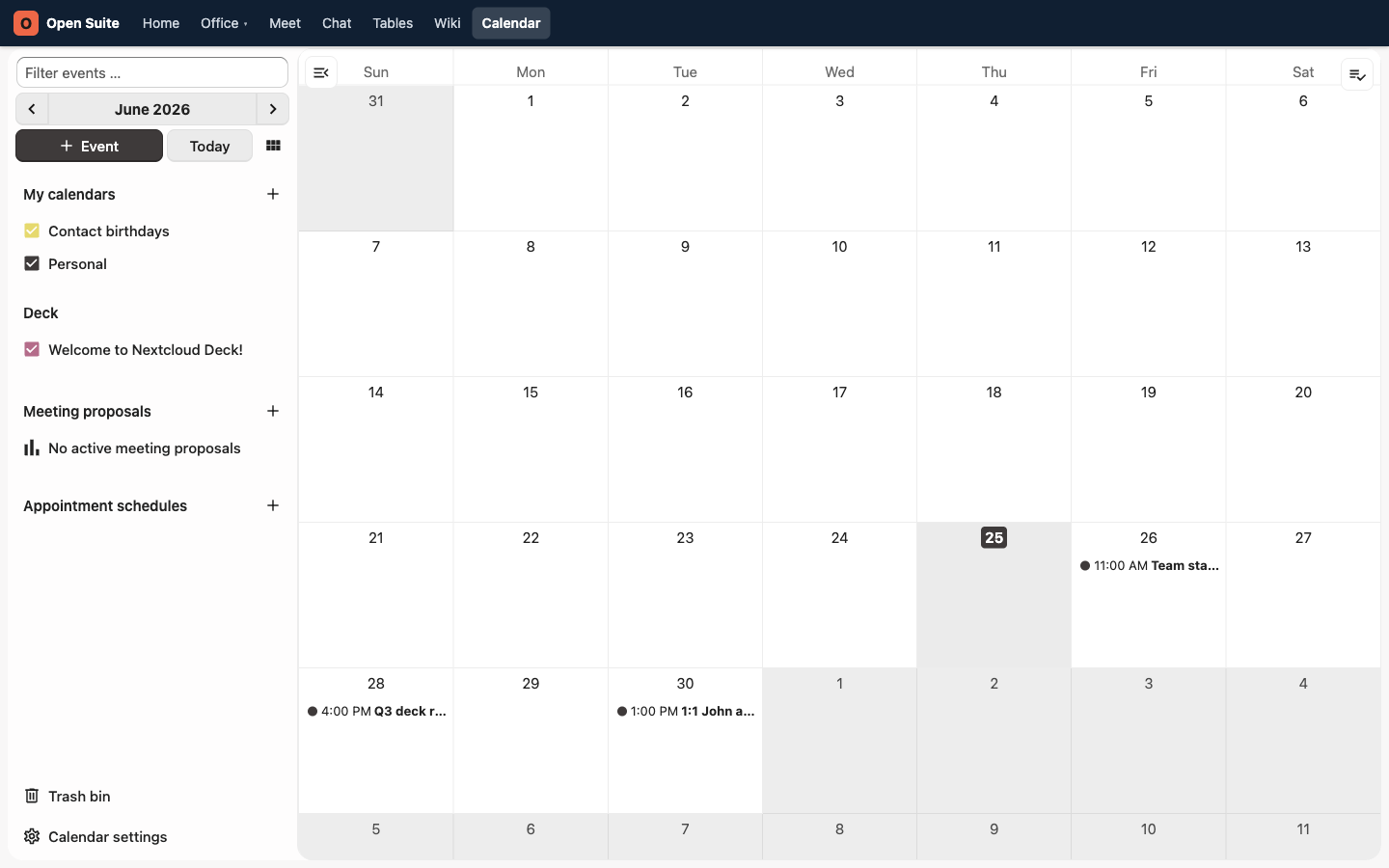
This existing demo screenshot shows the Calendar app before the portal navigation was reorganized. Use the current Calendar link described above.
Create the event
- Click Event.
- Enter a clear event title.
- Check the start and end time.
- Add guests by email address.
Swipe or scroll the screenshot to see every detail.
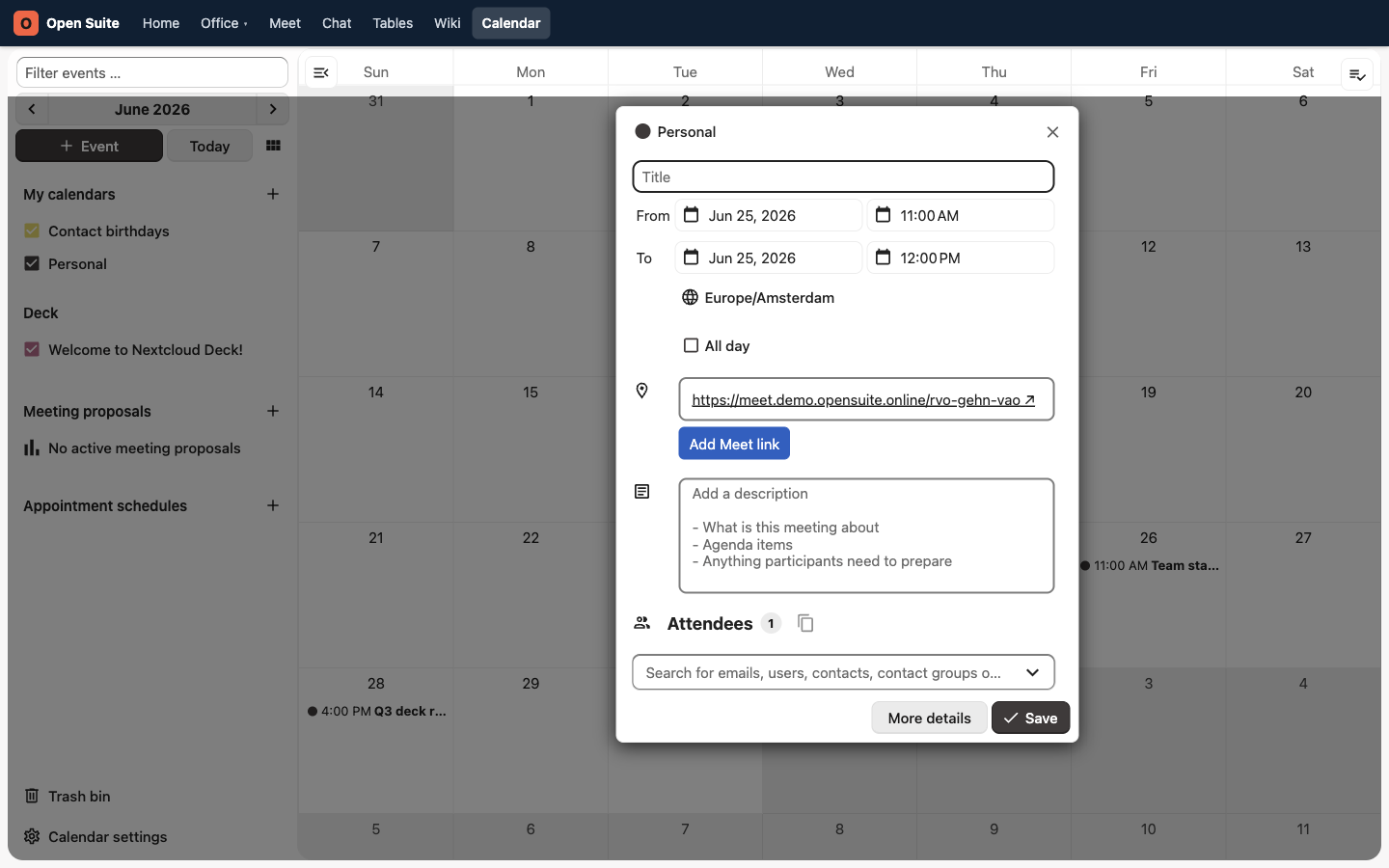
Title tells attendees what the meeting is for.
From and To set the date, time, and duration.
Meet link is added to the location field for a new event.
Attendees searches for users, contacts, groups, or email addresses.
Save creates the event and sends the invitation.
Add the video link
Open Suite adds a Meet link to the location field of a new event automatically. Wait for the link to appear before saving. If the field remains empty, click Add Meet link.
The Meet URL in the event location makes the call joinable from Calendar and from the portal's Calendar card. Anyone who has the URL can use it, so share the invite only with the intended participants.
Send the invite
Click Save. Calendar keeps the event on your calendar and sends the invite to the attendees you added.
Write a useful description
Add enough context that guests know what to prepare:
- The purpose of the meeting.
- Agenda items.
- Documents to read.
- Decisions needed.
Change or cancel a meeting
Open the event from Calendar, edit the fields, and save again. To cancel the meeting for everyone, delete the event.
If the meeting should not happen, delete the event instead of only removing the Meet link. That keeps everyone else's calendar clean.