Manage your account
Use account settings to update personal details, language, security, and app preferences.
Open account settings
- Open Office → Files.
- Select your avatar in the upper-right.
- Choose Settings. Administrators may see Personal settings instead.
Swipe or scroll the screenshot to see every detail.
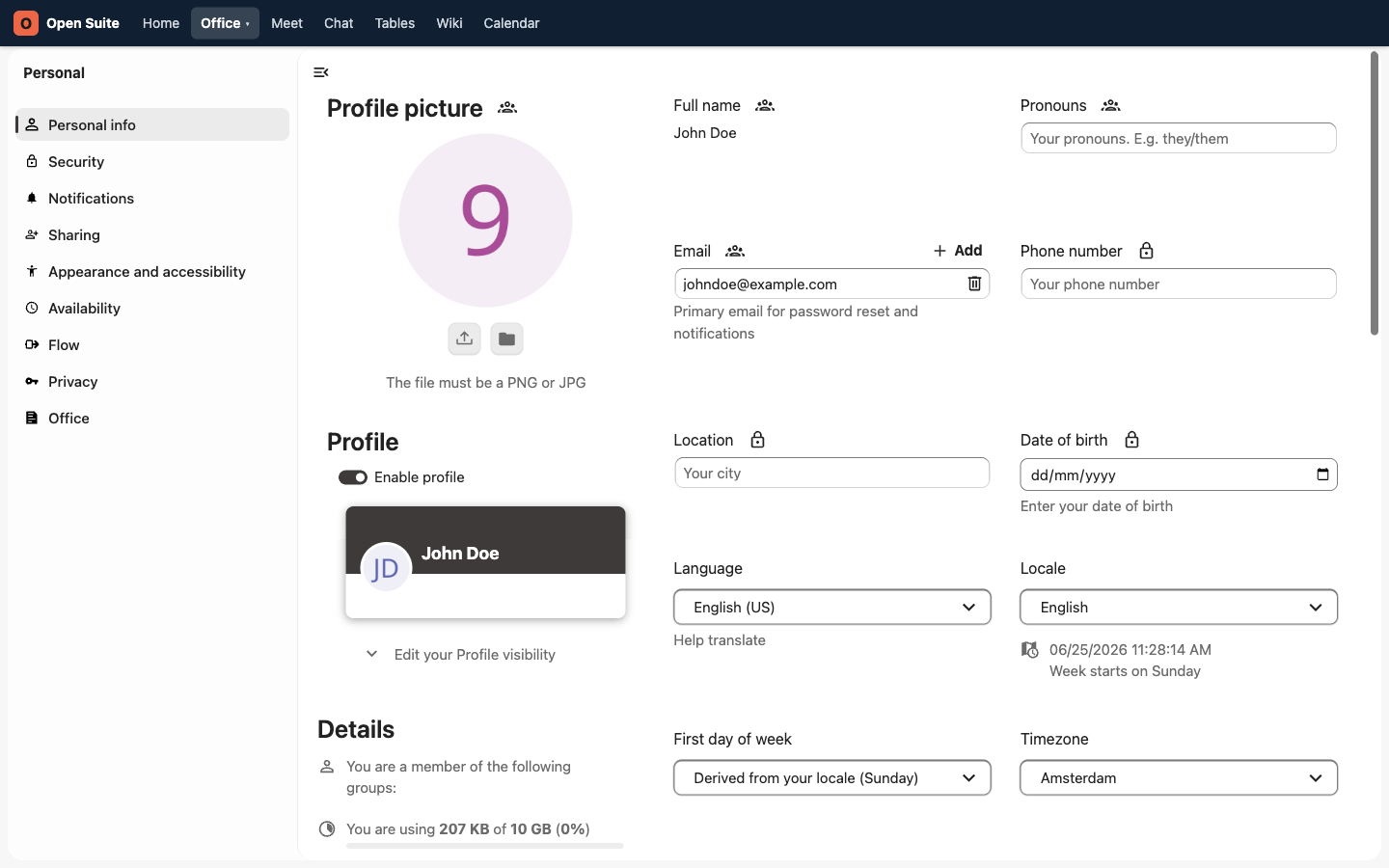
Personal info contains profile and regional settings.
Contact details include email and phone fields when editable.
Regional settings control language, locale, week start, and timezone.
Security contains the security controls enabled for your account.
This existing demo screenshot shows account settings before the portal navigation was reorganized. Use the current Office → Files path above.
Update personal information
Open Personal info and update fields such as your profile picture, full name, pronouns, email, phone number, or location. Keep these details accurate because other users can see them when sharing files or searching contacts.
Some fields show a lock or no edit control because they are managed by your organization. Ask an administrator to correct those values.
Change language or locale
Under Personal info, use Language, Locale, First day of week, and Timezone. Calendar and file timestamps are easier to read when these match your working location.
Review security settings
Open Security and review Devices & sessions when it is available. Revoke a browser, client, or app-password entry you no longer use or recognize.
Because Open Suite uses single sign-on, password controls can be absent from this screen. Follow your organization's password-reset process or ask an administrator instead of creating an app password for browser sign-in.
Sign out
Return to the portal and click Log out in the top navigation. Use it when working from a shared computer; closing the browser window is not the same as signing out.