Track project tasks
Use Projects for work that needs a shared board: launch plans, team requests, casework, onboarding, or any workflow that moves through clear stages. Projects is separate from Tables, which is better for registers, inventories, and structured records.
Open Projects
Click Projects in the Open Suite navigation. The Projects app opens in a new tab and keeps the same Open Suite header.
Swipe or scroll the screenshot to see every detail.
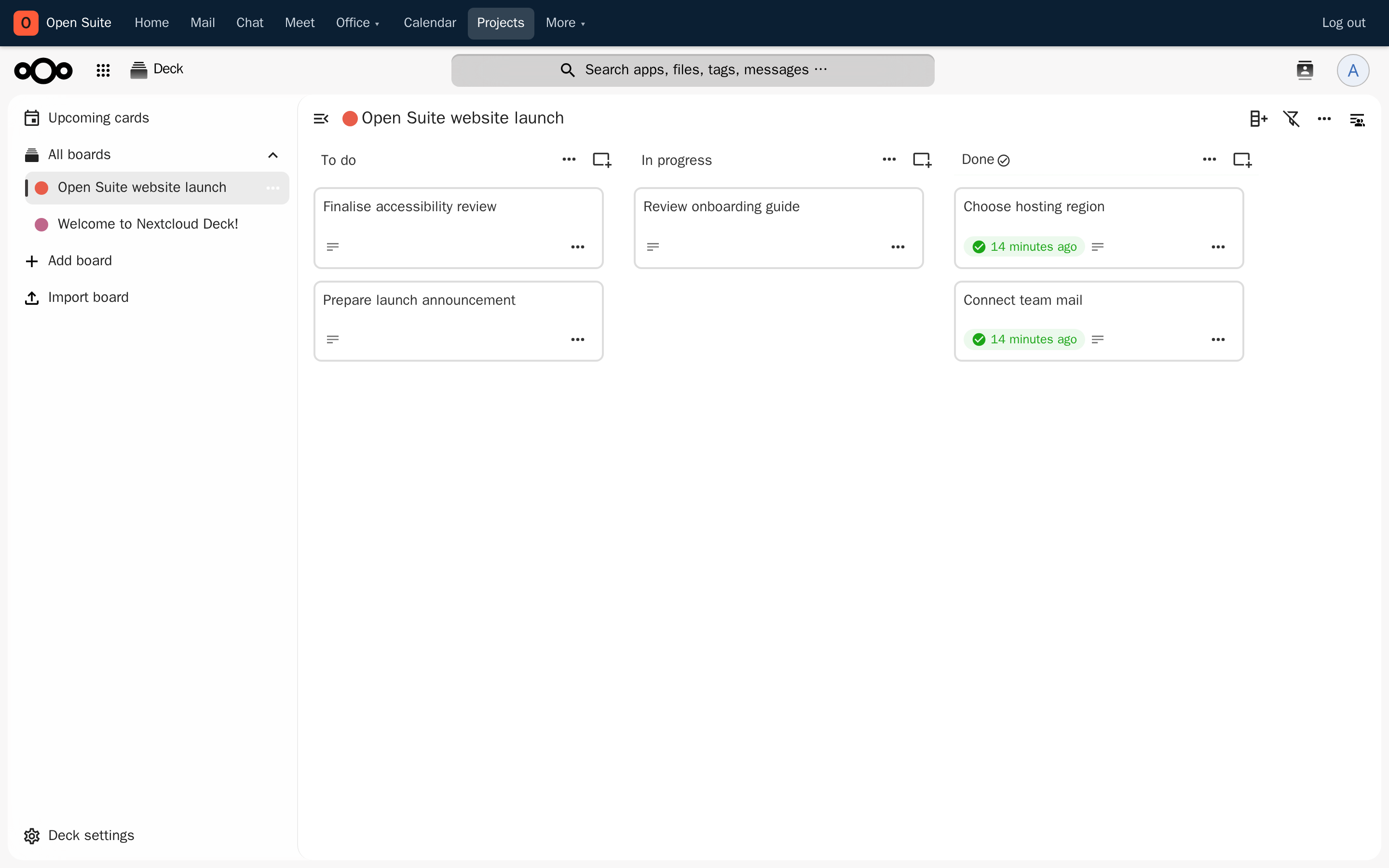
Projects is always available from the shared suite navigation.
Boards keep separate projects and team workflows organised.
To do contains work that has not started.
Cards hold one task, its details, owner, dates, and discussion.
Done records completed work and powers progress in the portal widget.
The portal's Projects widget shows your active boards and card progress. Click a board there to open it directly.
Create a project board
- Click Add board in the Projects sidebar.
- Enter a short project or workflow name.
- Add lists such as To do, In progress, and Done.
- Mark the final list as the board's completed list.
- Add one card for each concrete task.
Keep a card small enough for one person to finish. Split broad outcomes into several cards so the board still shows what is actually moving.
Plan and update a task
- Open a card.
- Add a description or checklist that makes "done" clear.
- Assign the person responsible.
- Add start and due dates when timing matters.
- Use comments for discussion that should remain attached to the work.
- Drag the card to the next list when its status changes.
Keep the board useful
- Keep In progress short. Finish, unblock, or reassign work before starting more.
- Put decisions and updates on the relevant card instead of scattering them across chat and email.
- Review due dates and unassigned cards during team check-ins.
- Archive a board when the project is complete; do not delete it if the history is still useful.